
A custom CMS: one system instead of fourteen plugins
What an online store built to measure can really do: one stock figure, automatic shipment tracking, compliant invoicing and an AI assistant that knows your stock.
Picture a Monday morning in an online store that ships forty orders a day.
Someone opens the order list and types each one into the carrier's portal. Prints the labels. Copies the tracking numbers back into the orders and messages every customer by hand. Then opens the invoicing program and enters the same order a second time so an invoice exists. Because the physical shop sold a few units on Saturday, they also correct the online stock — from memory, because one item was never scanned.
At ten the questions start: "Where is my parcel?" Answering them will take longer than the whole morning's dispatch.
None of that is selling. All of it is manual glue between systems that do not talk to each other — and that glue is the first thing to break when a business grows.
- Copying tracking numbers from the carrier portal into orders.
- Entering the same order twice, once for shipping and once for invoicing.
- Reconciling stock between the online and the physical shop by hand.
- Answering questions the system could have answered by itself.
What a custom CMS is — and what it is not
A custom CMS is not "a better WordPress". It is a system in which your data — products, stock, orders, shipments, invoices, customers — is one single data model, and around it we build exactly the screens and the automation your business needs.
Assembling the same thing from plugins works differently. Every module brings its own slice of the database, its own logic and its own maintainer. Stock lives in one plugin, shipping in another, invoicing in a third, translations in a fourth. None of them is responsible for moving data from one to the next — that role quietly falls to an employee.
- Every module keeps its own data
- An employee moves data between modules
- Upgrades depend on someone else
- Every update risks breaking something
- One model, one source of truth
- The connections are part of the system
- Upgrades depend on you
- Tests and a controlled release
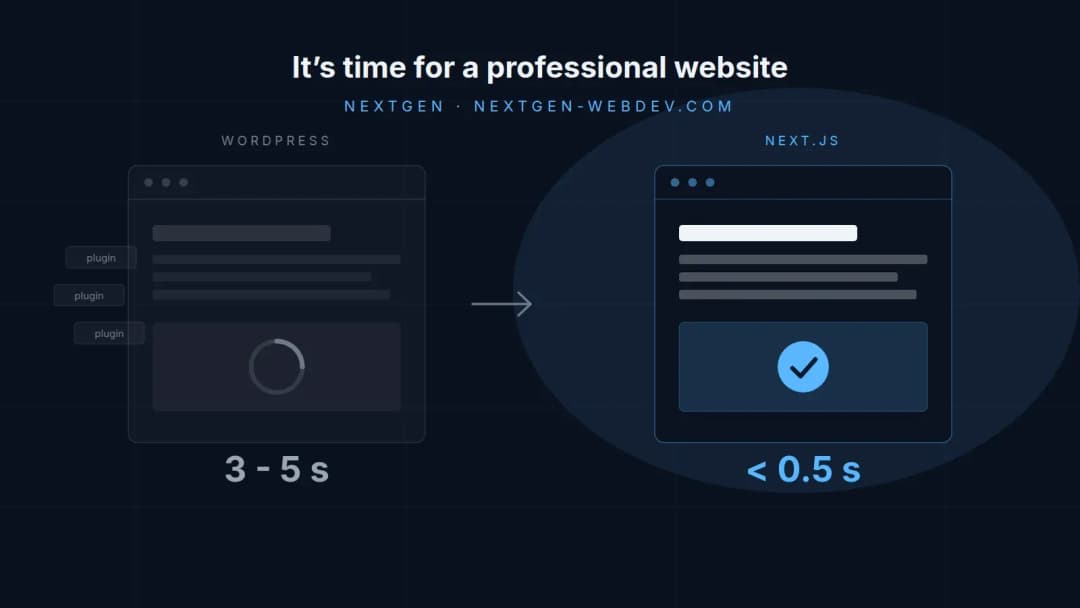
For us that means Next.js for the storefront and Payload CMS for the back office — the approach we describe under custom development. Everything else — stock, shipping, invoicing, the assistant — are modules of the same system, not third-party plugins. Why we work this way at all is the subject of our earlier piece on when it is time for a professional website.
A concrete example: what such a store looks like
So that this does not stay at the level of principle, picture a real store. Around three thousand products. Two sales channels: online and one physical shop. Two employees who cover support on top of everything else. Delivery through the national post and one courier. Three ways to pay: card through a payment provider, bank transfer against a proforma invoice, and cash on delivery.
That is an ordinary store that has outgrown the "a few orders a week" stage. Let us look at what the software takes over.
Catalogue and stock
One source of truth for online and in-store sales.
Shipping and tracking
The shipment is created on its own, the customer is told on its own.
Invoices and fiscal rules
The invoice comes from the order, not from a second program.
AI assistant
Answers from your data, not from general knowledge.
Dashboard
Says what needs doing today — not what happened last month.
Content, languages and SEO
Categories, blog and languages in the same back office.
Catalogue and stock: one product, one number
The most expensive mistake in an online store is not a slow page. It is selling something you do not have.
Stock is therefore held in one place and counts for both sales channels at once. When a customer places an order the unit is reserved immediately — not at payment — otherwise two people can buy the same last unit in the same minute. When the till in the shop sells a unit, the online figure changes in the same second.
The system also knows a safety level: when a product drops below it, it appears on the reorder list together with how fast it sells and when it last arrived. That is not a report someone has to go looking for — it is a line that shows up on the dashboard by itself.
Shipping and tracking: where most of the hours are saved
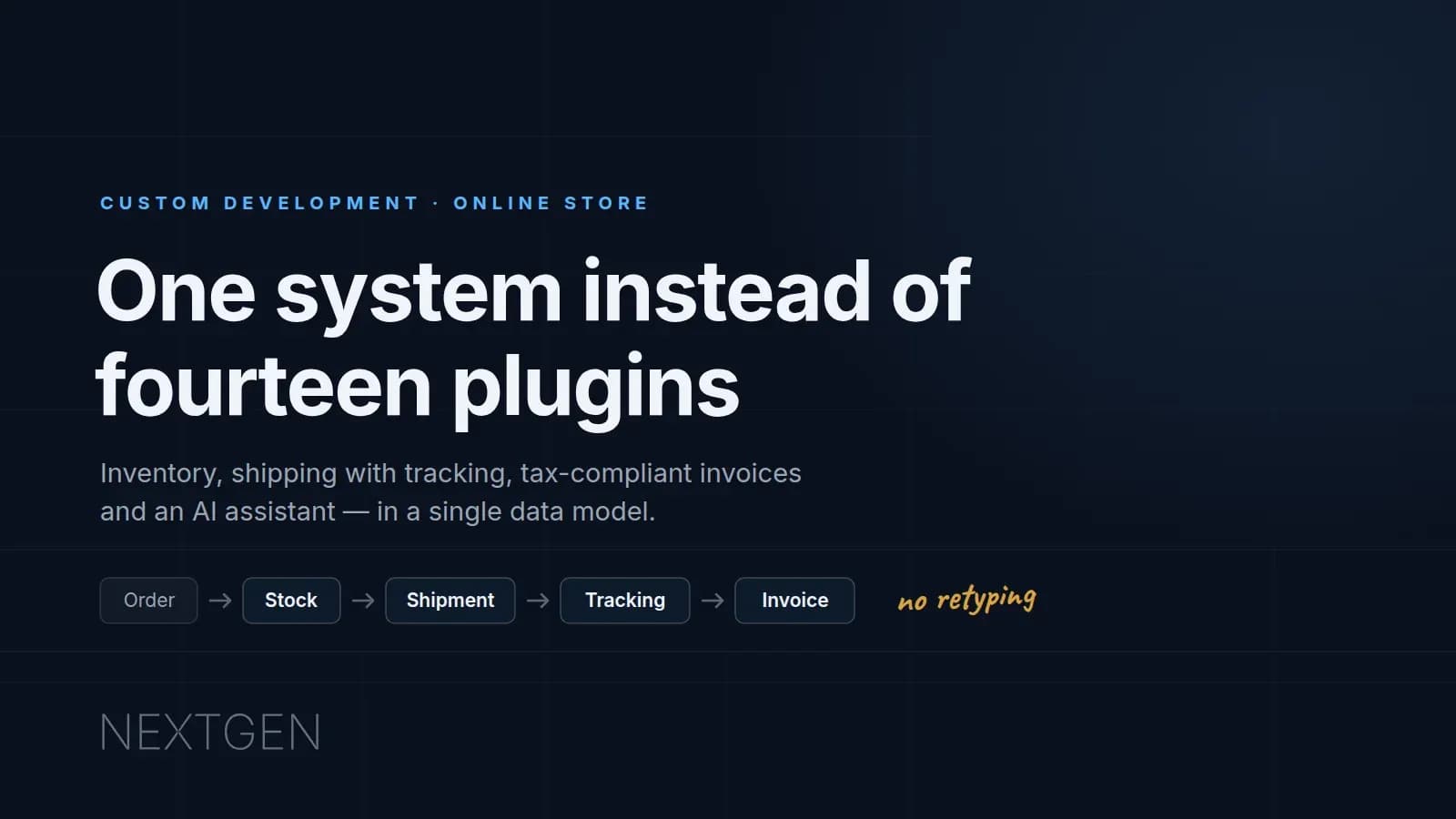
Once an order is confirmed, the system creates the shipment with the carrier through its API, prints the label and takes back the tracking number. It attaches that number to the order and sends it to the customer — with nothing retyped.
That is usually where the story ends; with a custom system it is where it begins. The system also reads the shipment status. The customer hears from you when the parcel is collected and when it is delivered. If a shipment does not move for forty-eight hours it appears on your list before the customer writes the first message.
Invoices: part of the system, not a second program
An invoice should not require entering the same order again somewhere else. It should come from the order that already exists.
Every market adds its own rule on top. In Slovenia, for instance, whether a receipt has to be fiscally certified depends on the route the money takes to reach you: a transfer straight to your account is non-cash, while money arriving through an intermediary that collects payments and forwards them is treated as cash. A custom system encodes that rule once and applies it to every order, instead of leaving the judgement to whoever is on shift.
A deadline already on the books: 1 January 2028
If you are planning a new store today, one date deserves more of your attention than the rest. Slovenia has adopted the Electronic Invoice Exchange Act (ZIERDED): from 1 January 2028, exchanging e-invoices between businesses becomes mandatory for every entity in the business register, with no size exemption and no announced transition period. Several EU countries are introducing the same obligation on their own timetables.
What that means in practice: a PDF is not an e-invoice. An e-invoice is a structured record — e-SLOG, or a format compliant with the European standard EN 16931 — and business-to-business invoices may no longer be sent by e-mail. Exchange runs through an e-path provider, the PEPPOL network, or a direct connection between the two systems. Selling to consumers is unaffected.
- Keep invoice data structured — line items, tax rates, buyer details — not merely rendered into a PDF.
- Make sure the system can export an invoice as e-SLOG or EN 16931, even if it does not send one yet.
- Choosing an e-path provider or connecting to PEPPOL should be a setting, not a rebuild.
- Separate business and consumer orders in the data model — the obligation covers business-to-business trade.
The point is not that anyone has to rush out and buy a new solution in January 2028. The point is that the store you build today should already be ready — that the switch is a change of setting, not a new project. A store assembled from plugins will be waiting for each of fourteen vendors to ship an update. A custom system is yours, and you update it when you decide to.
An AI assistant that knows your stock
A chatbot answering from a list of frequently asked questions is not an assistant. It is a search box in a different wrapper.
An assistant becomes useful only when it has access to your data and clear limits. Asked where an order is, it does not repeat a generic answer — it looks at the actual shipment and says where it is. Asked for a recommendation, it takes into account what is in stock and what is usually bought alongside. Faced with a product that has no description, it drafts one from the specifications in your tone of voice, for you to approve or correct — it does not publish on its own.
The same assistant works for you, too. "How many of these do we have left and when was the last delivery?" is a question the system should answer faster than you could open a report.
What matters is not the model. What matters is that the assistant knows what it must not do: promise delivery dates it cannot verify, invent product attributes, or answer questions that belong to a person. Those limits are part of the build, not a setting in a plugin.
A dashboard that says what to do
Most dashboards show what happened. A useful dashboard shows what needs doing. Which orders are waiting to ship. Which products are below the safety level. Which shipments have not moved for two days. Which products were viewed a hundred times and never bought — because that is usually a fault in the price, the description or the photo, not in demand.
Content, languages and SEO in the same system
Categories, descriptions, the blog and the language versions live in the same back office as the products. Structured data for Google is generated from the product record, not by a separate plugin that can get it wrong. Adding a German version does not mean adding a second store — it means adding a language. How that plays out in search is covered under SEO.
An honest calculation
Forty orders a day, roughly a hundred and ten seconds of manual work each. That is one hour a day and about twenty hours a month before support is counted. Twenty hours is half a working week, every month, for something that brings in not a single new customer.
On top of that comes the part that does not measure so neatly: the order you cannot fulfil because the last unit was sold twice.
A custom system is not the answer to "what can it do". It is the answer to "what does a person in our company do every day that software could do instead".
When you do not need this
A custom system is not the right answer for every store. If you sell fifty products, have one delivery option and five orders a week, a standard platform will get you to market faster and cheaper — and that is a perfectly sound decision.
Custom development starts to pay off in two places. The first is when manual work between systems passes a few hours a week. The second is when there is a process specific to your company that a standard platform cannot do — an unusual way of calculating price, a link to the software in your warehouse, a sales flow that works differently from everyone else's.
How we build it and what it costs
We build a custom store the same way as every other project: conversation, plan and structure, design, development, launch and handover. The difference is that during planning we also settle which systems it has to talk to — the carrier, the invoicing software, the till in the shop, the supplier's price list.
Building an online store starts at €1,290, with a fixed quote before we begin, hosting for the first year and technical support included. After the first year a care plan from €39 a month can take it over. The full breakdown is on the pricing page, and a fixed-price quote takes us twenty-four hours.
Six lines to take away
- One model, not a pile of plugins — A custom CMS means one data model for products, stock, orders and invoices.
- One stock figure — It counts for online and in-store at once; a unit is reserved when the order is placed, not when it is paid.
- Shipping without retyping — The shipment and its tracking number are created automatically, and the customer hears about delays too.
- Invoice from the order — Fiscal rules are applied by a rule written once, not by judgement on every order.
- AI with access and limits — An assistant is useful only when it knows your data and knows what it must not claim.
- Deadline: 1 January 2028 — Business-to-business e-invoicing becomes mandatory in Slovenia; the system is worth preparing today.
Tell us what still runs by hand in your company
Half an hour of conversation. We say what could be automated, what is not worth automating and what it would cost. Fixed-price quote within 24 hours.